AI Category Pages
Better product data, better category pages
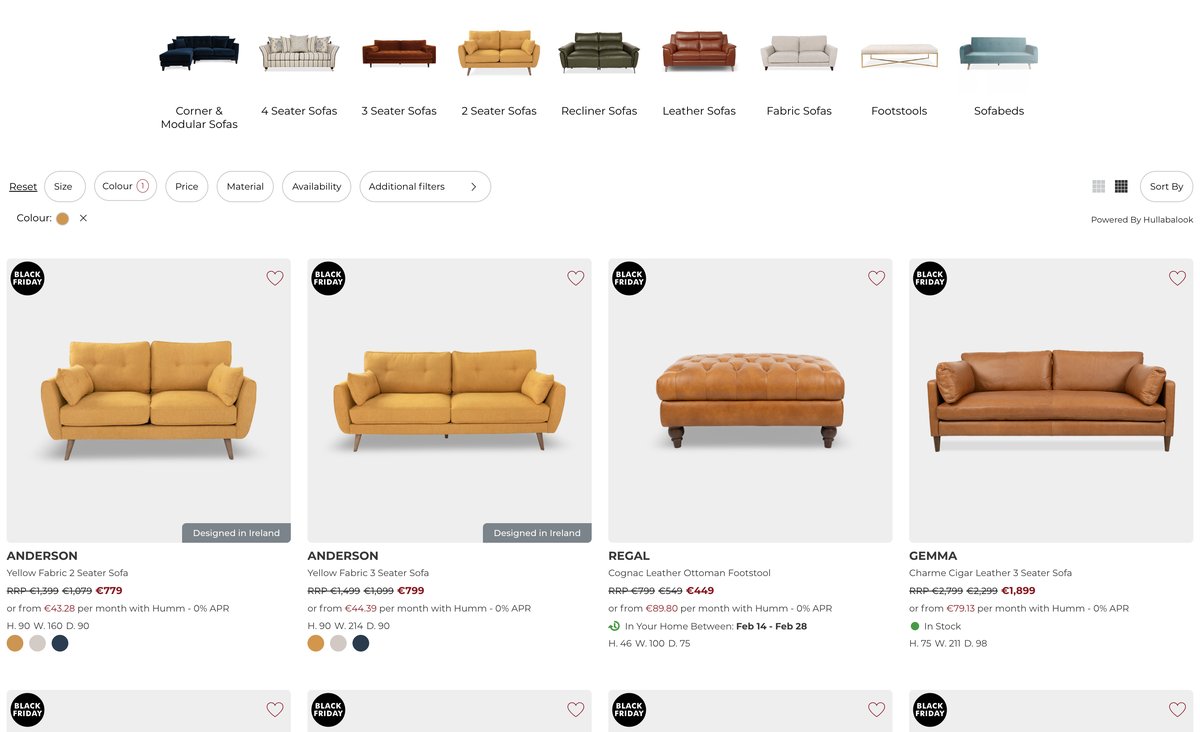
Closer matches for shoppers, more of your catalogue sold. We clean up your product data and read the colours, and how much of each colour, from every product photo, with no re-tagging for your team. Shoppers filter by colour, size or style, drag a sofa to the width of a wall or match a colour from any photo, and the closest matches rank first.
For shoppers
Filters that feel like browsing, not form-filling

The exact shade
Shoppers who pick hot pink see hot pink first, then hot reds, then softer pinks, instead of every “pink” lumped together.

The space at home
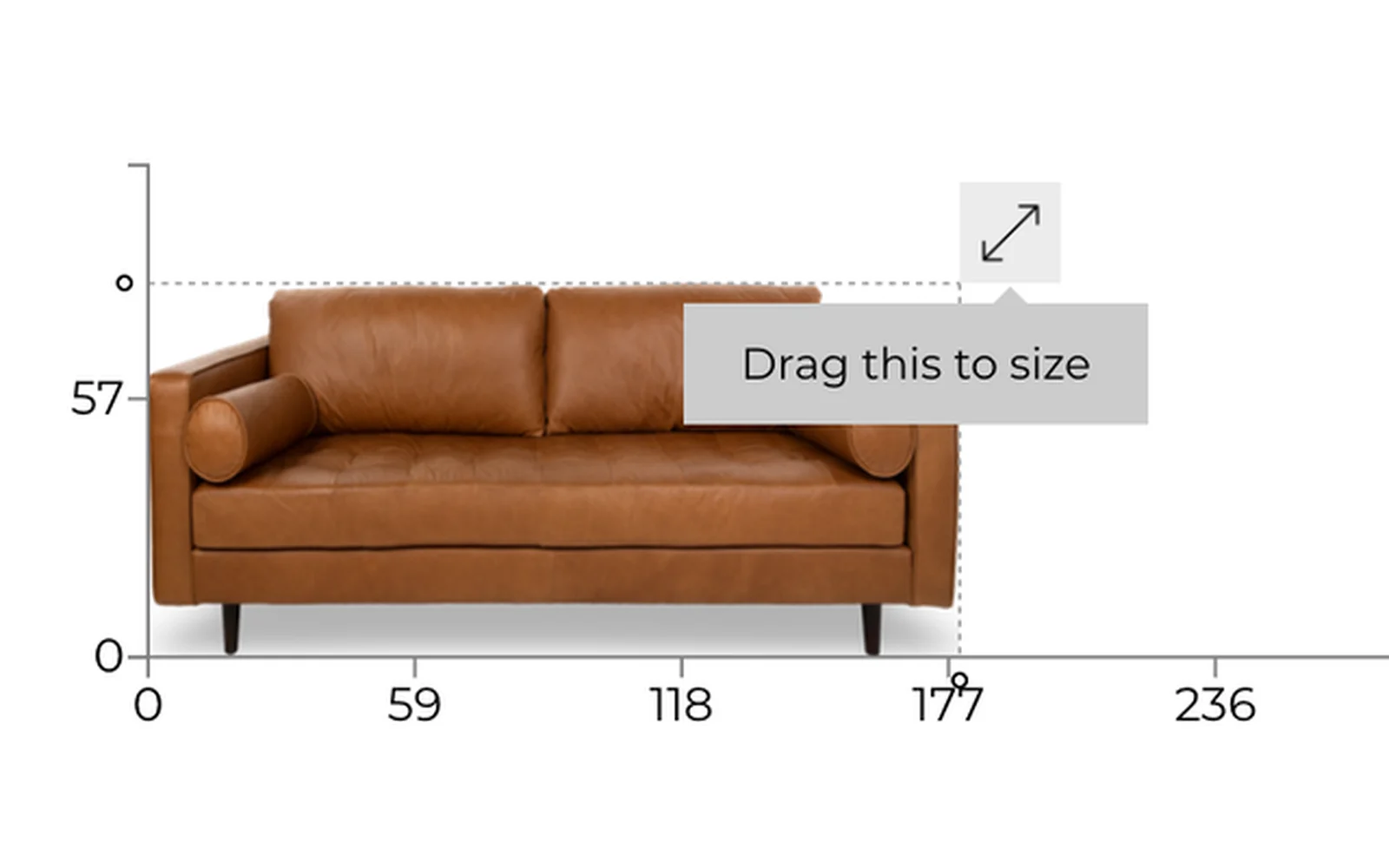
Shoppers drag a product to the width of the wall at home, or type in the dimensions.

A colour from a photo
Shoppers upload a picture of a cushion or curtain and see products in the same colours.

Near-matches kept
The closest matches rank first and near-matches stay on the page, so a near-perfect sofa is never filtered out.

Pictures, not tick-boxes
Sub-categories appear as pictures, and swatches switch the product on each tile, so finding products is part of the fun.
For retailers
We fix the product data once, and every category page improves

Product data fixed, with no re-tagging
Mislabelled colours, missing sizes and split materials hold category pages back. We clean up your data and read colours from the photos, with no re-tagging for your team.

Every relevant product found
The closest matches rank first instead of near-matches being filtered out, so more of your catalogue gets seen.

New, interactive, visual filters
Exact colours, drag to size and colour from a shopper’s photo give shoppers filters you couldn’t offer before.

More category-page shoppers buy
Shoppers find the right product faster, with less hard work.

Always showing what’s popular now
The order of products learns from what shoppers click and buy, so your team spends less time merchandising, and pins and boosts stay in your hands.

Browsing that brings shoppers back
The page feels like a well-arranged showroom, not a spreadsheet.
Key features
Filters shoppers can see, with the closest matches first
Drag to size
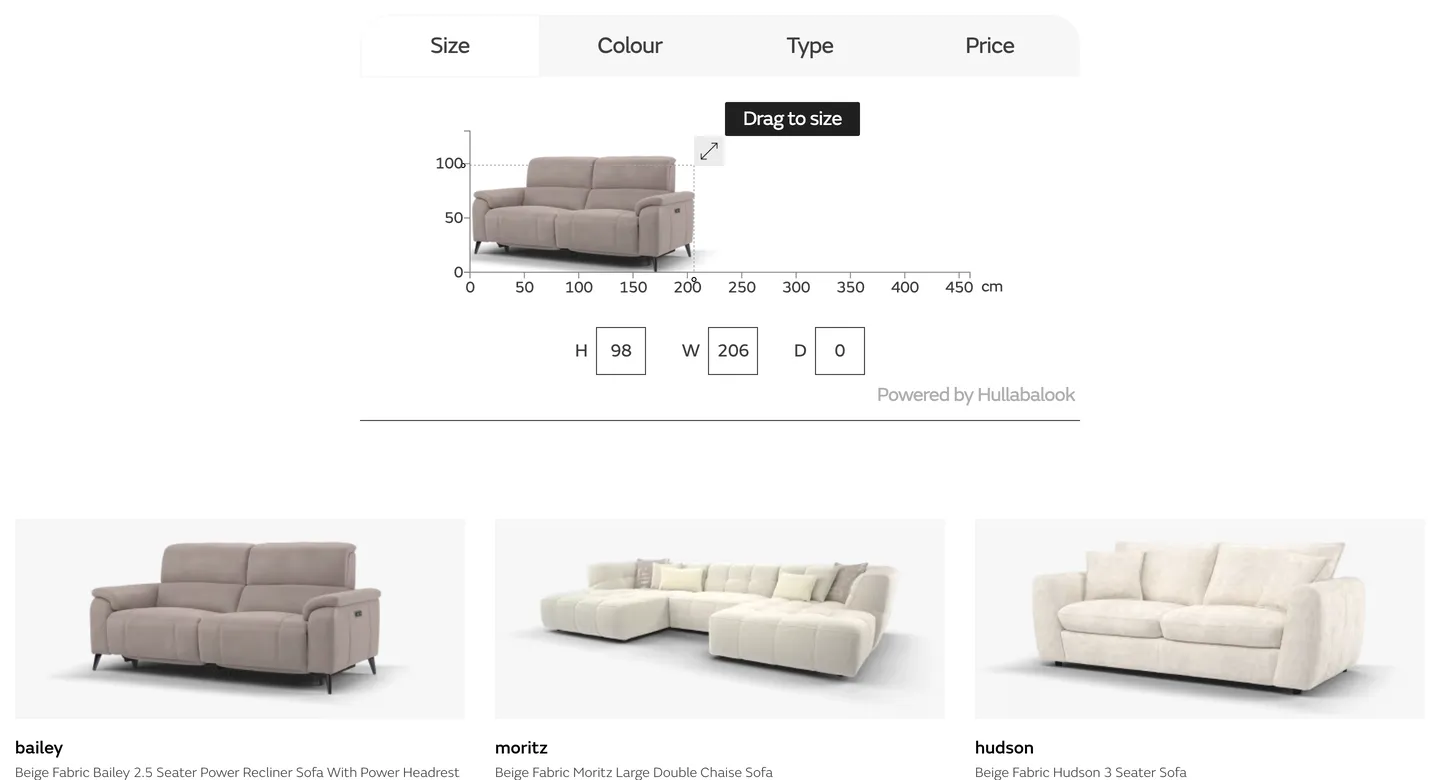
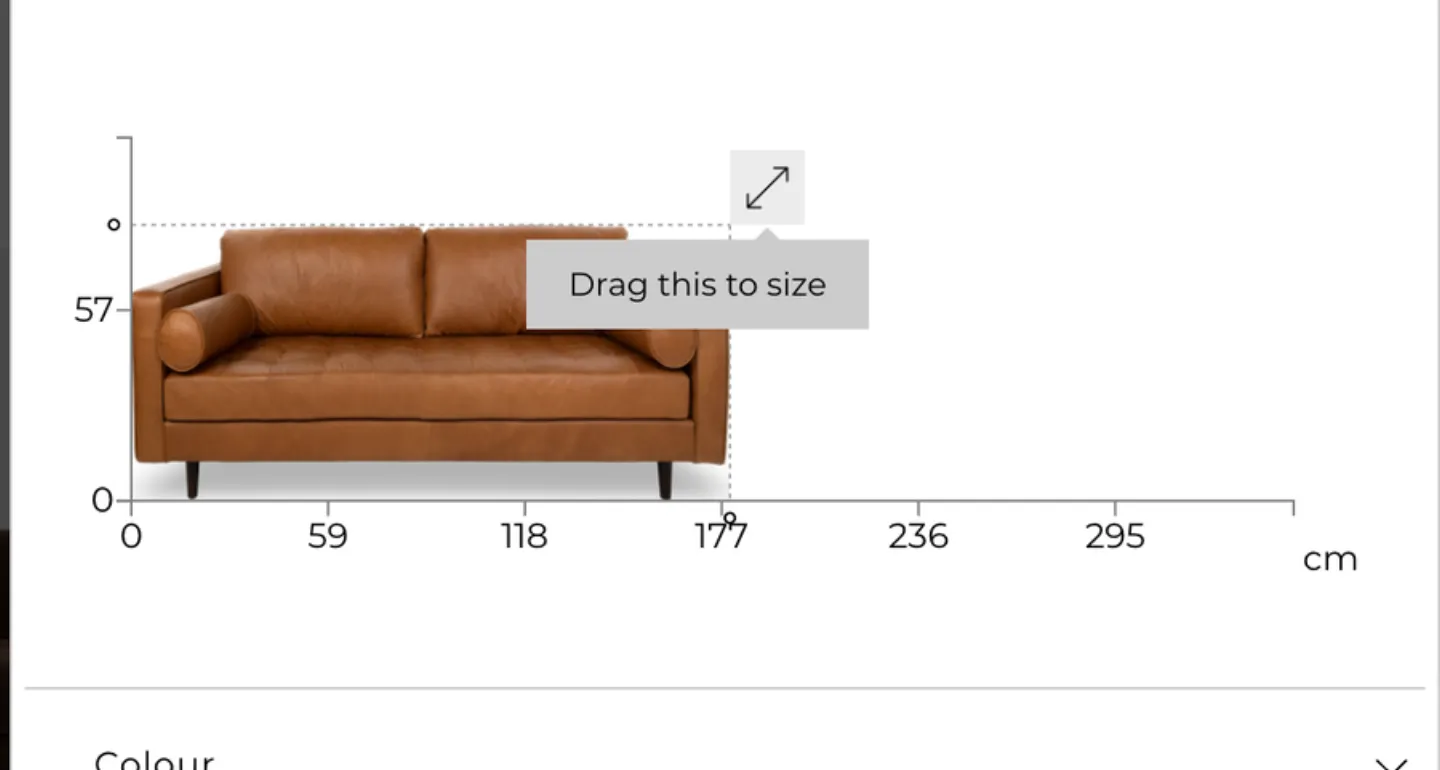
Shoppers drag a product on a measured chart to the size of the space at home, or type in the height, width and depth.
The exact shade, not just the colour
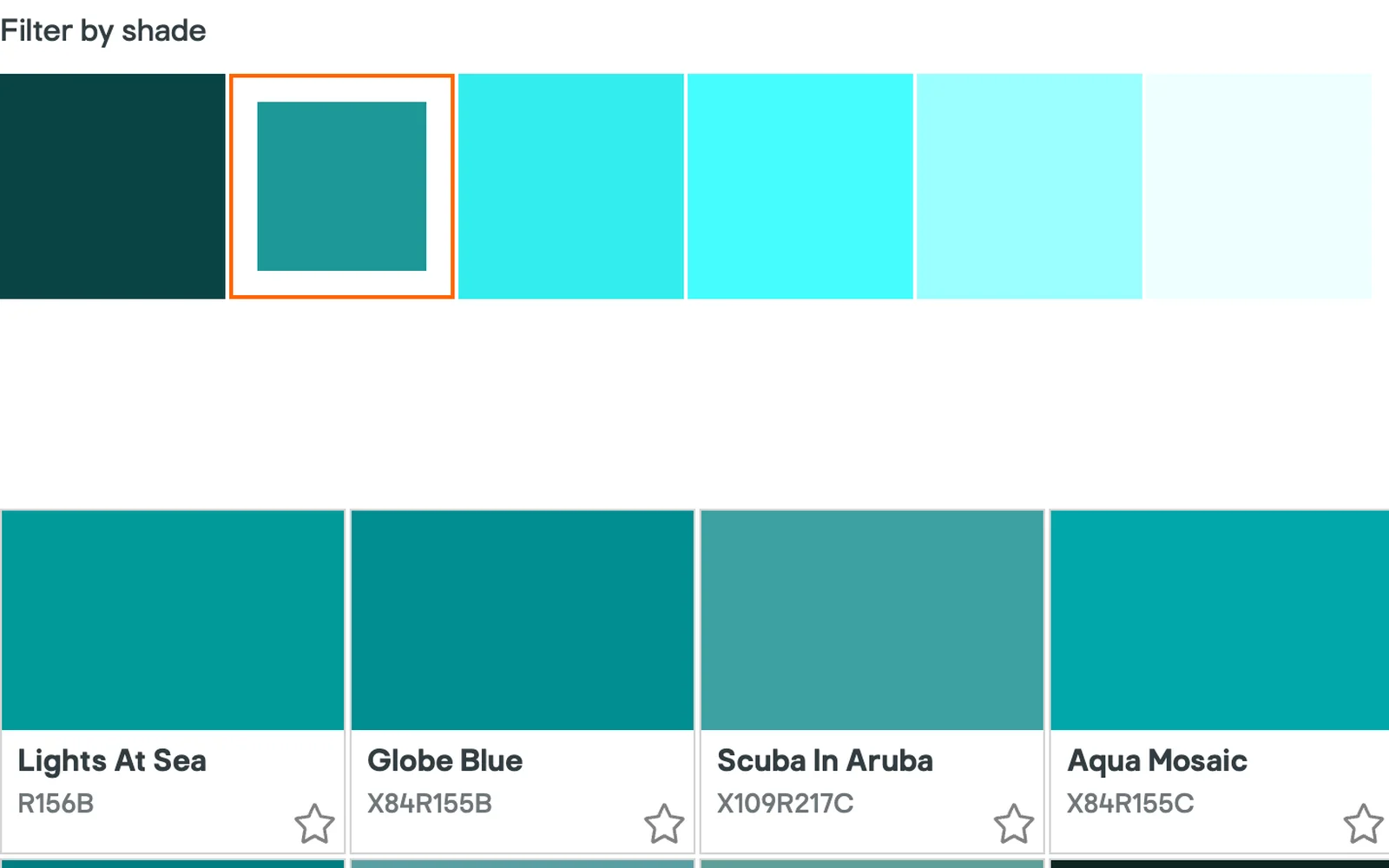
Shoppers pick a colour, then the exact shade within that colour, and see every product in that shade first. In B&Q’s Find your colour, teal alone has six shades.
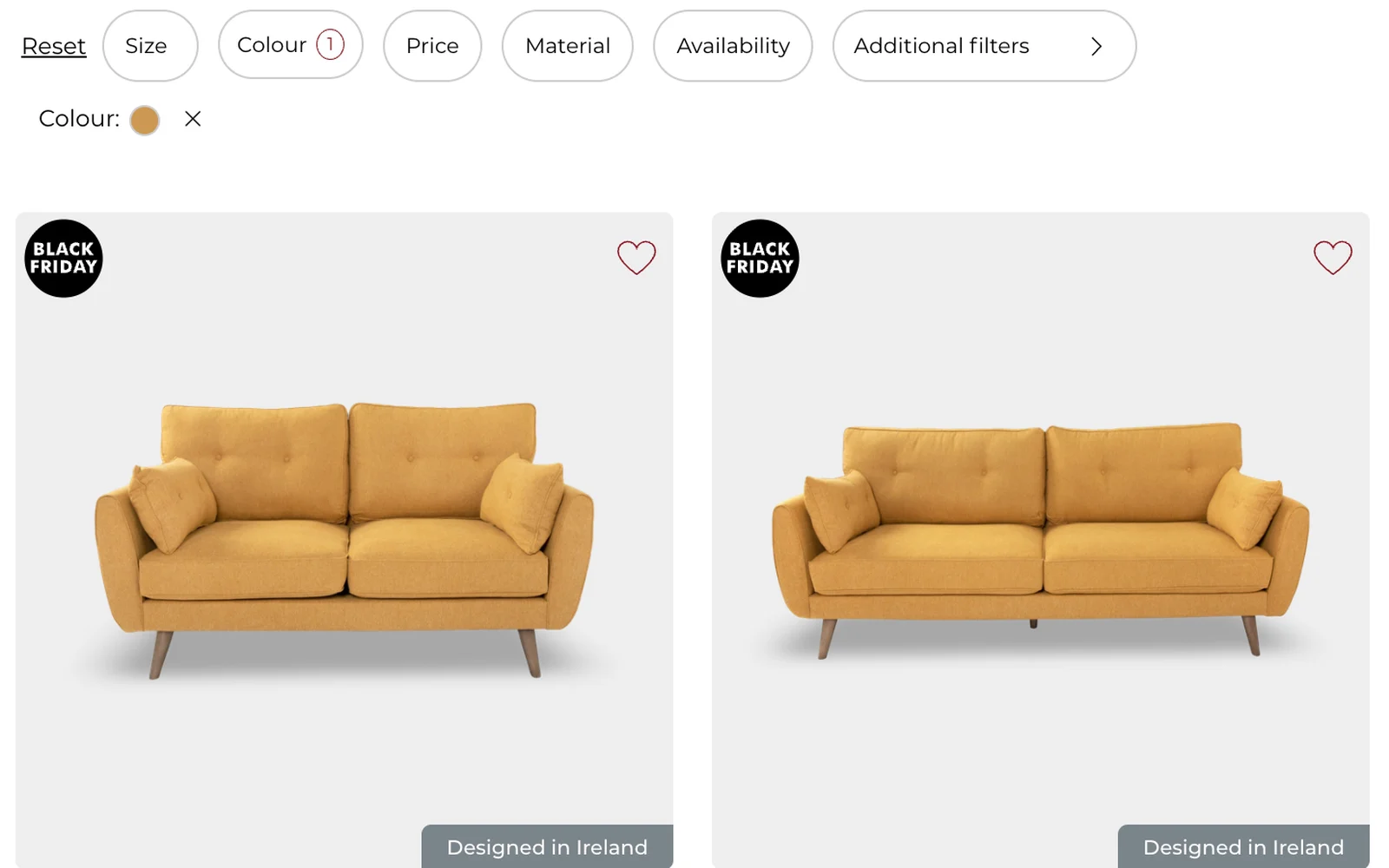
Re-ranking, not filtering out
The closest matches come first, and near-matches stay on the page.
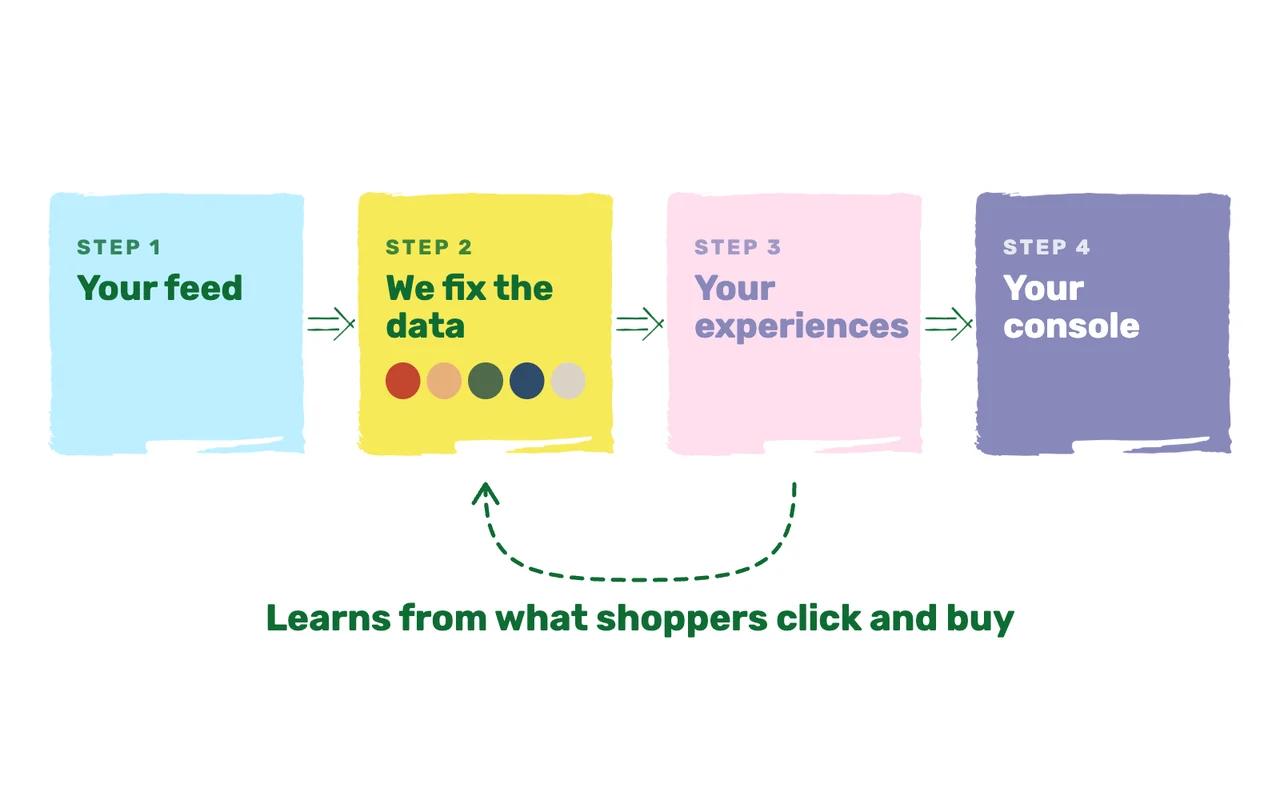
Clean data behind the scenes
We read the colours, and how much of each colour, from every product photo.
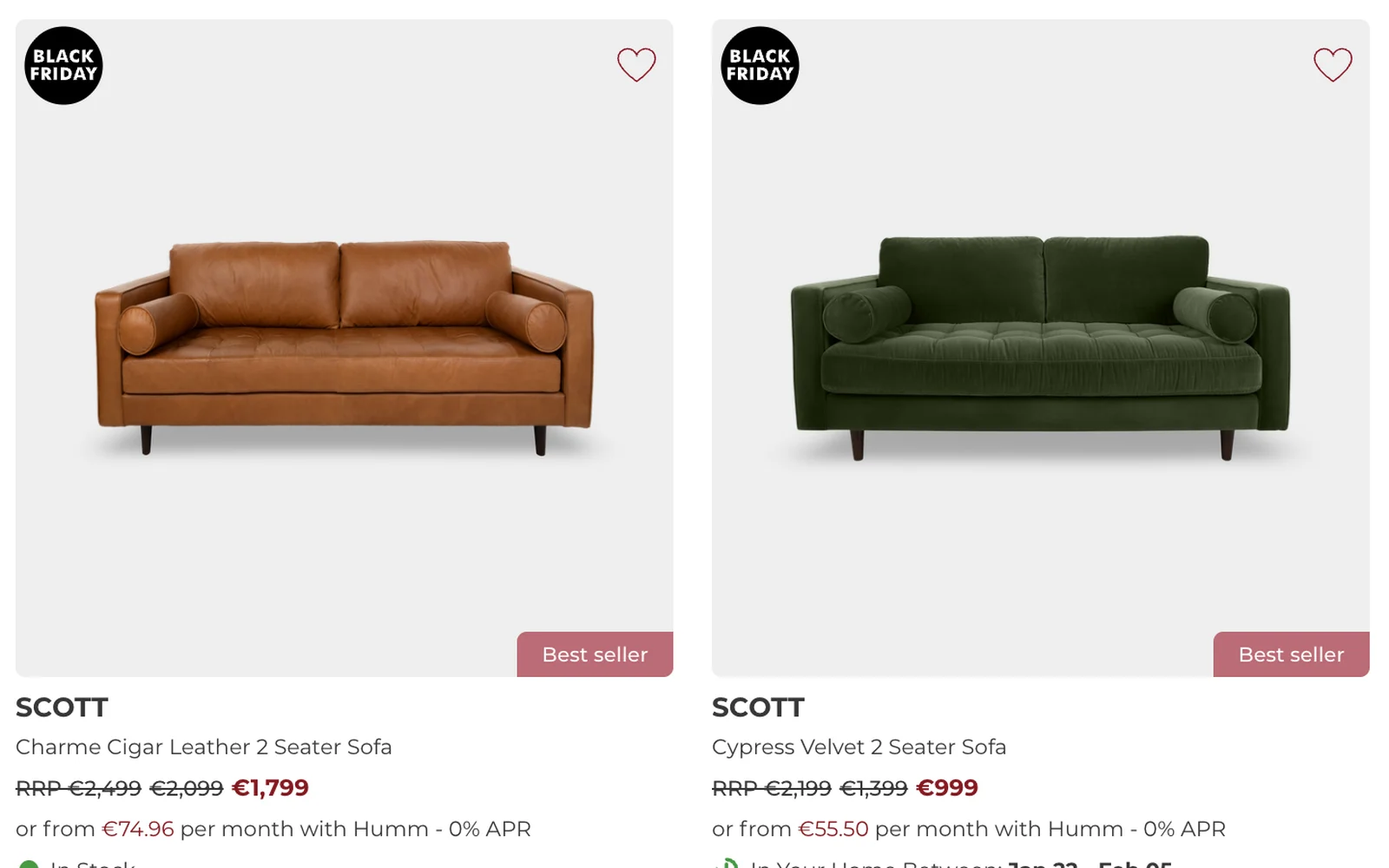
Rich product tiles
Each tile has a photo gallery, swatches that switch the product, a wishlist button, delivery dates, stock and finance messaging.
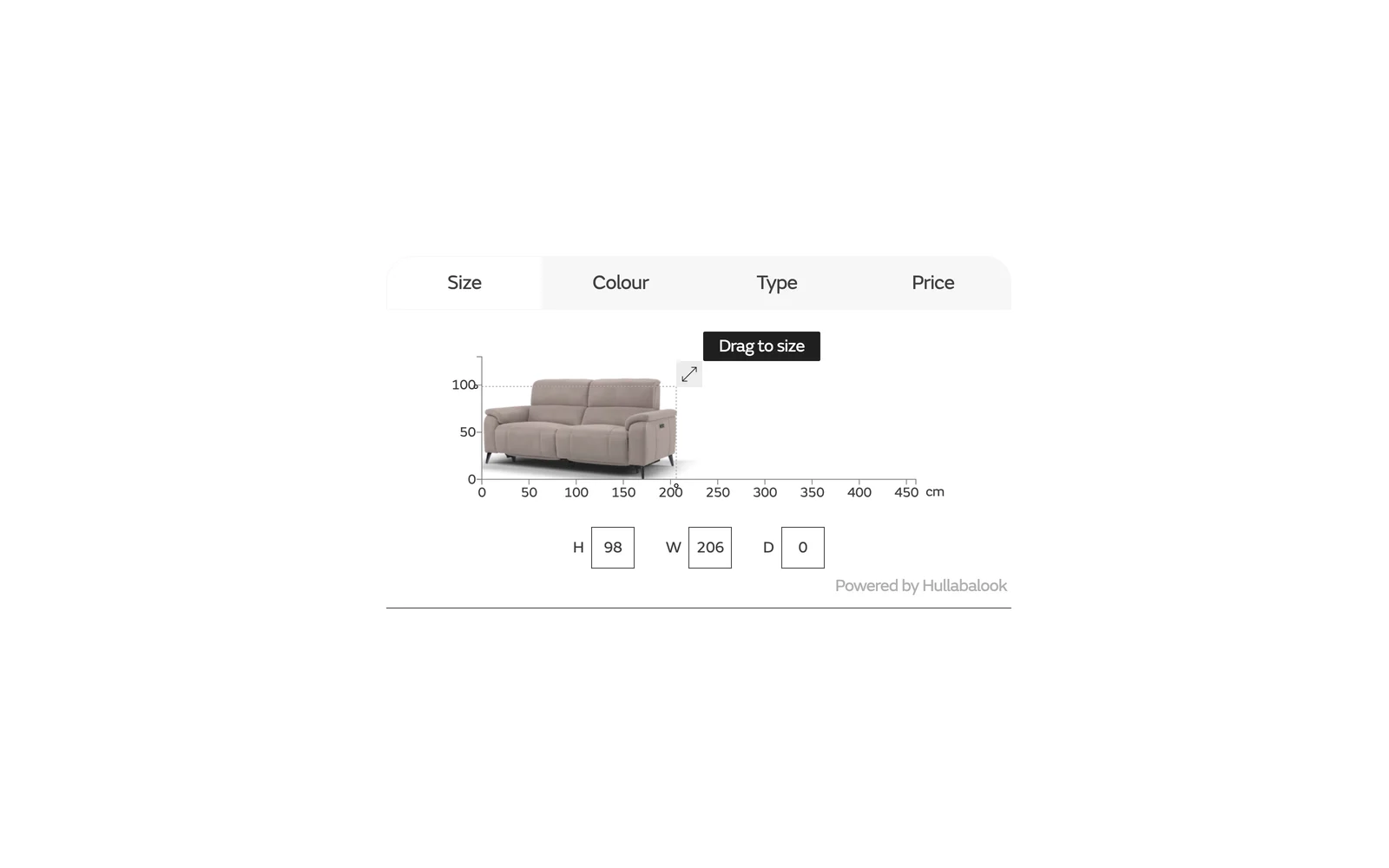
Specialist finders
Sofasizer finds sofas by size, colour, type and price, and Colour Mixing finds paint among thousands of shades by name, code, group, shade and brand.
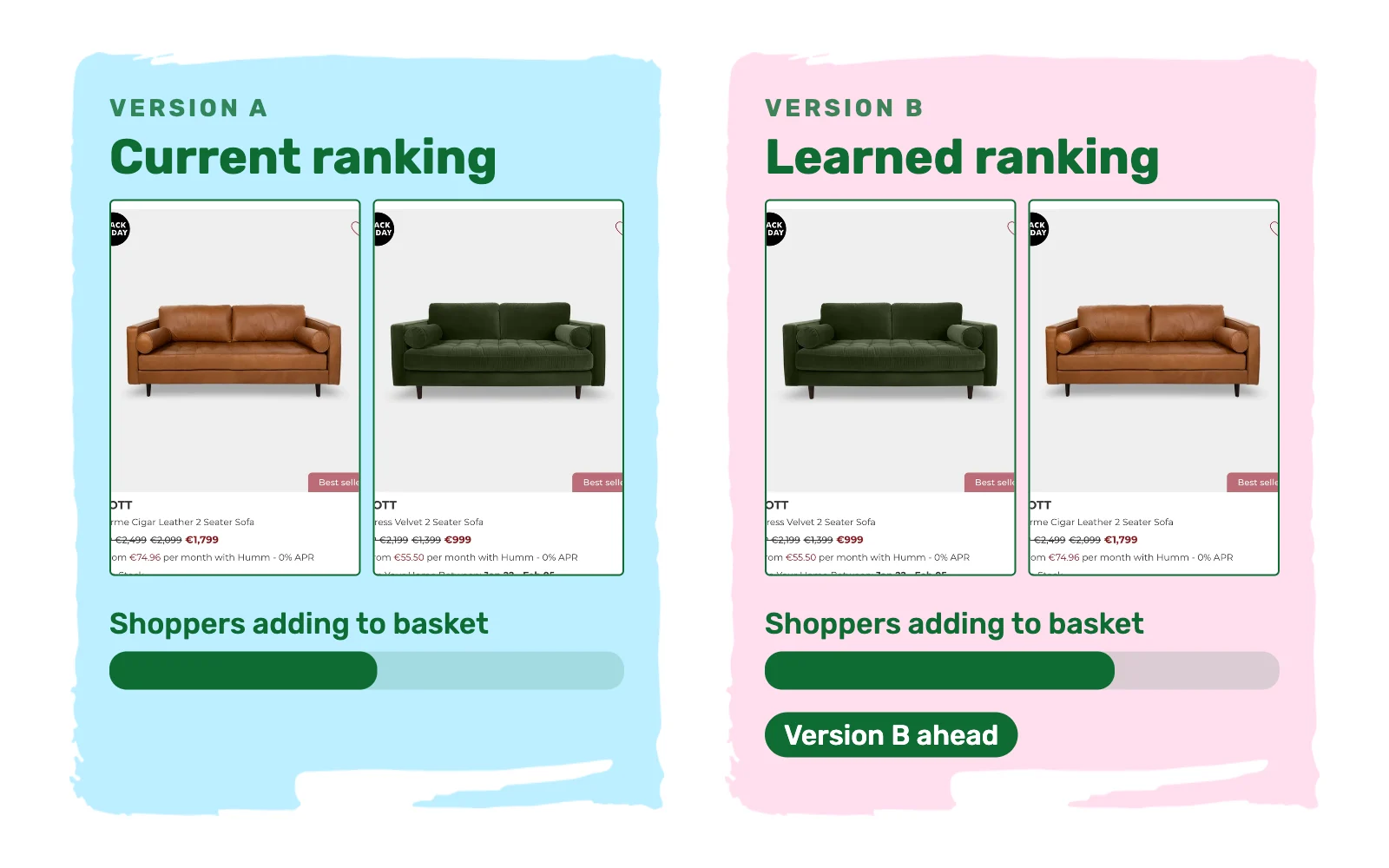
Self-learning, with A/B testing
Rankings learn what’s popular, your team keeps control, and built-in tests show the uplift.
Drag to the size of the space at home
Shoppers drag a sofa on a measured chart to the size of the space at home, and the closest fits rank first.
Thousands of shades, found by colour
In B&Q’s Find your colour, shoppers search by name or code, pick a colour group and shade, filter by brand and pin colours to compare.
On your site
On your category pages, or as a finder
Your category pages
The same engine runs across all your category pages, and EZ Living runs the engine on 13 category pages.
A standalone finder
A standalone finder page, such as Sofology’s Sofasizer or B&Q’s Find your colour.
Every number is dated and attributed on its case study.
Case study
Sofology drove double-digit conversion uplifts online and in store
“Sofasizer helps our customers quickly, with little impact to our IT team. We have had great feedback and increased conversions both online and in-store.”Sofology
Live with
- EZ Living
- Sofology
- B&Q
- Castorama
- TradePoint
Related
You might also be interested in
Product Recommendations & Complete the Look
Shoppers see similar products, room scenes, moodboards and outfits, more from the same collection, add-ons and bestsellers, mixed on each product page instead of rows of identical carousels.
Open →+39%Room Creator
Shoppers see sofas, rugs, lighting and decor side by side, in 2D from your product photos or in 3D in the shopper’s own room, and add every product to basket in one click.
Open →8Sofa Configurator
Modules join only where the modules fit, fabrics change in a tap, and the sofa takes shape in 2D or 3D. Shoppers start from one of your sets or from scratch, and the design goes to basket in one click.
Open →What would one of your categories look like?
Send us the product feed for one category and we’ll show you that category page rebuilt.
Book a demo →